












 Call
Call 


 Access Your Account
 How To Set Up A Home Office

Table of Contents
For a long time, the ability to work from home was reserved for the lucky and privileged few, those who had supportive employers or who found a way to do it on their own. However, the 2020 COVID-19 pandemic has completely changed this.
At first, companies were required to have their employees work from home whenever and wherever possible as part of stay-at-home orders. Still, many more, including big names such as Google, Twitter, and Zillow have decided to allow employees to work from home longer term. Some studies suggest that around 20 percent of companies will implement permanent work-from-home policies for their employees moving forward.
The circumstances that have brought this change are tragic, but many people have been arguing for years that they can do their jobs from home. Now they have proof that it’s not only possible but, in some circumstances, much better than other setups since it can often lead to an improvement in productivity and engagement.
Successfully working from home requires you to set up a good home office or working space, which requires a bit more than you might initially think. Here’s everything you need to know to set up a workspace that will allow you to thrive.
Pros and Cons of Working from Home
Before going into the specifics of how you should set up your office, it’s useful to review some of the pros and cons of working from home, as these will help highlight some of the challenges you may face in this new environment and how you can combat them with good design.
The main benefits of working from home include:
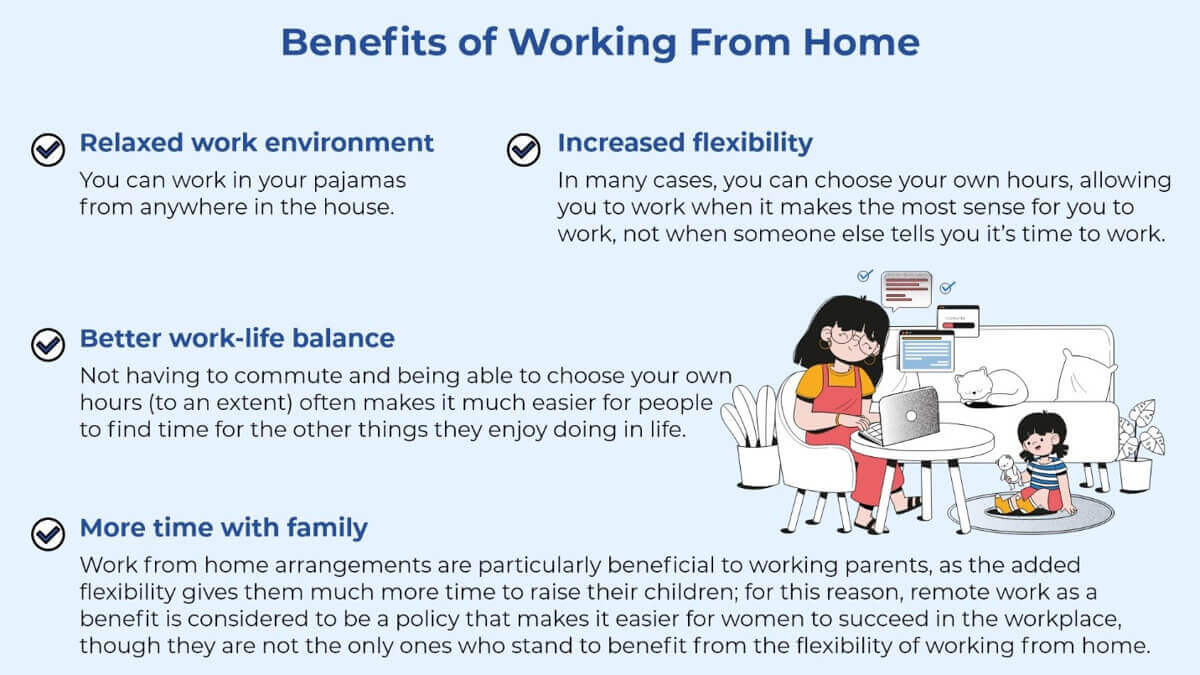
While working from home can have some pretty substantial positive impacts on life, there are also some downsides, such as:
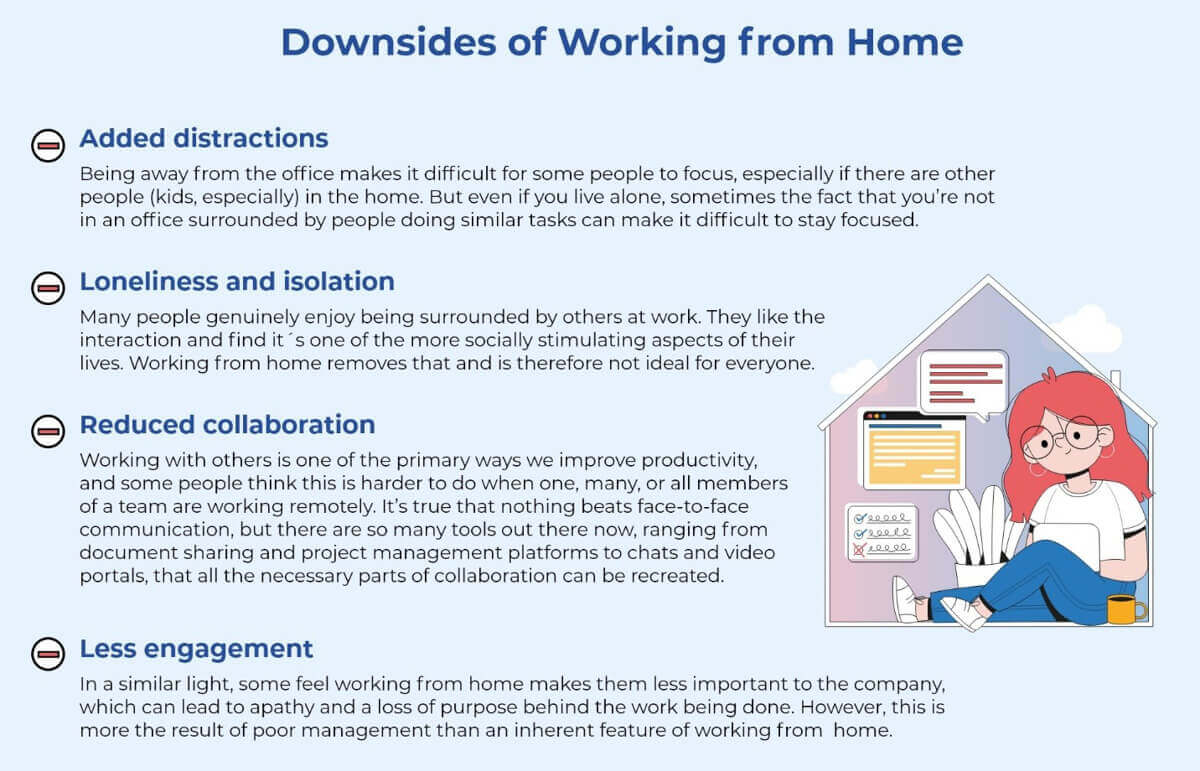
In many cases, whether or not working from home is good or bad will depend on you as a person – what you like and don’t like about a working environment. But now that we know what some of the positives and negatives are, we can set out to build a home office that will set you up for success both now and in the future, assuming your work from home arrangement continue.
Step 1: Choose a Space
When setting up your home office, the first thing you need to do is to pick a space in your home that will be your work center.
What space you choose doesn’t really matter, but the most important thing is that you make it a dedicated area that’s only for work. For this reason, kitchen and dining room tables usually aren’t ideal, as these spaces are also used for lots of other things.
Ideally, you have a room in your home that you can convert into an office. A separate room is great because it has its own door, which you can shut, either signifying to yourself and others in the home that you’re hard at work or sending a message to yourself that you are done with work for the day.
However, in many cases, it’s simply not possible to section off an entire room. In these instances, the solution is to find a way to partition part of a room to distinguish it from the areas you use for other activities.
This is so important because having a dedicated space allows you to set up your things the way you want them without having to worry about moving them, and it also helps train your brain to know when it’s time to work. If the space you use is also where you eat, play games with the family, entertain, and more, you’re going to confuse your brain, meaning when you sit down, it won’t know what it’s supposed to do.
Components of a Good Office Space
Besides being separate from the rest of the house/room, a good home office will also have some or all of the following characteristics:
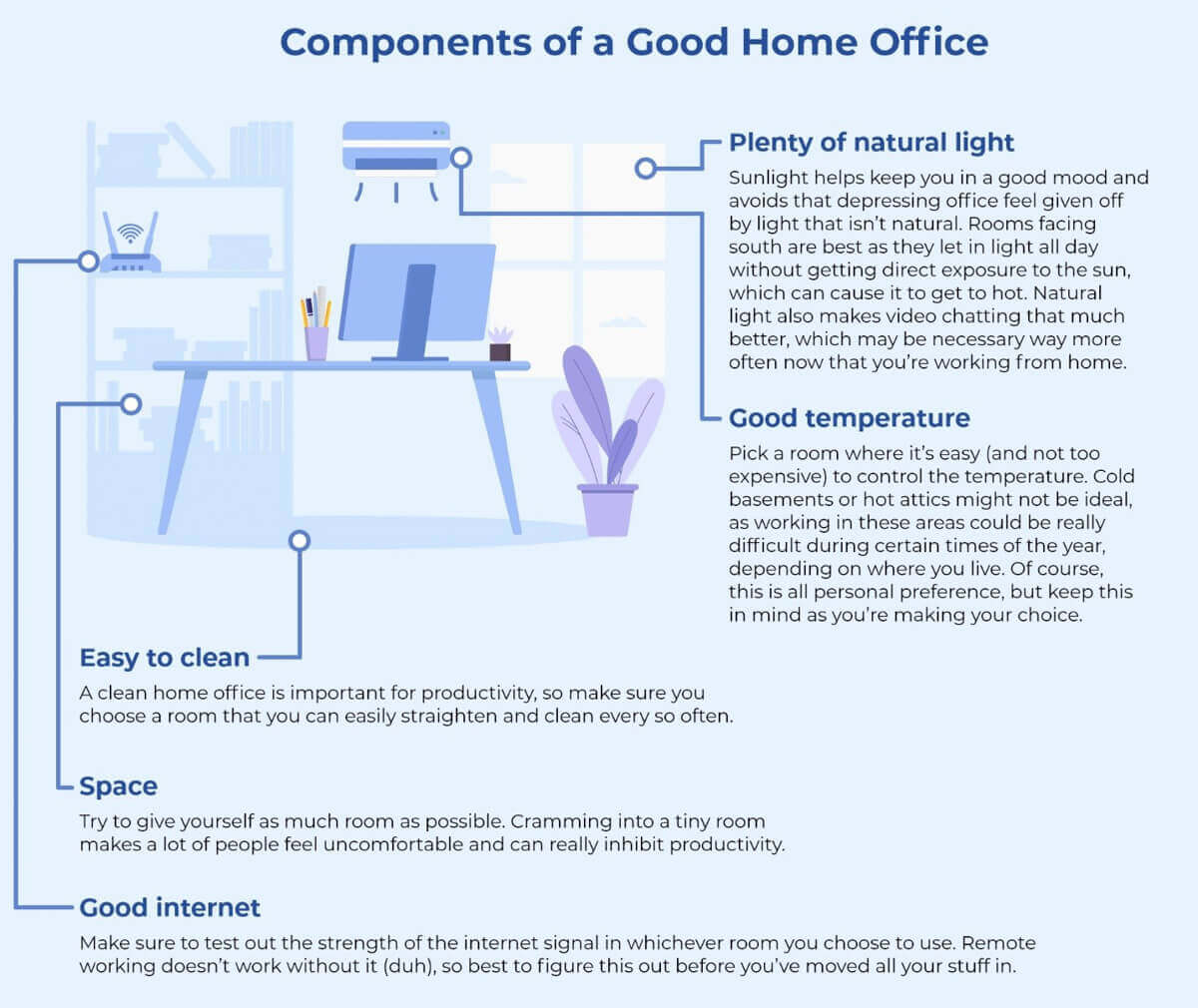
Of course, if you’re reading this and thinking, “I don’t have any of these things,” the first thing on your mind might be the expense you will need to incur. But there are plenty of ways to make these improvements without spending a fortune.
Saving Money While Equipping Your Office
The first thing you should do is contact your employer. Depending on the situation, they may be able to help ensure you have the right equipment. If you work for yourself, then know that a lot of the equipment you buy can be deducted as a business expense when you do your taxes. Remember, this only works for those who use their home office as their primary place of business, so it may not apply to those who also work in a physical location.
Another thing you will want to do is look for secondhand furniture and office supplies. Craigslist, Facebook Marketplace, and eBay are all great places to start your search. And lastly, you can also get creative. Have a great desk that’s just not quite high enough? Get or build a shelf to make your computer/laptop higher and make it easier to work. Or, even more simply, stack them on top of some books! It might not be pretty, but it’s a lot better than hunching over a desk and hurting your back, neck, and shoulders.
Step 3: Decorate Your Office
Once you’ve got your space and equipment, it’s time to decorate. You don’t need to spend a lot of time doing this, but it’s a useful way to help optimize the environment in which you work while at home.
An excellent place to start is painting. Brighter colors tend to create a more positive vibe in a room, and a fresh coat of paint can also do wonders to improve a particular space’s energy.
Beyond that, consider filling the room with other objects you like. Many people find photos of their friends and family comforting and helpful, whereas others might prefer more abstract art. One interesting thing to consider is hanging up images or other symbols of things towards which you’re working in life. Even in the best of times, work can be a grind, and when you’re at home, it’s very easy to fall into the trap of procrastination. Images that represent your goals help you stay on track during these moments and can also help spruce up the room.
When it comes to decoration, there is no right or wrong. The one thing you should be careful of, though, is clutter, which can negatively impact your efficiency and productivity. Some people don’t mind it, but if you over-decorate, this could be a problem. Instead, be mindful of your choices and put things up to serve a specific purpose and make you a better work-from-home employee.
Step 4: Set Ground Rules
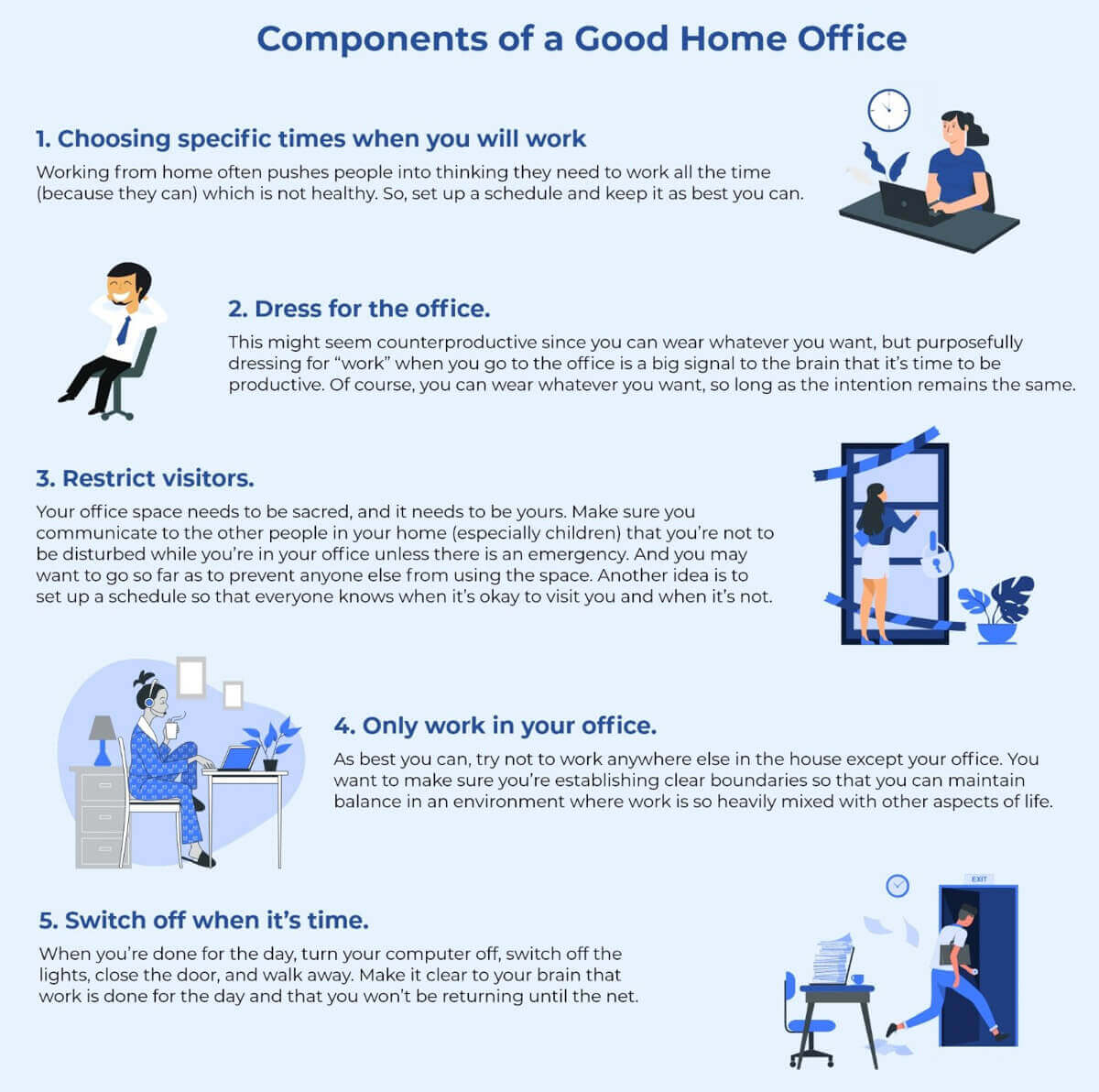
Lastly, with your home office all set up, it’s time to get to work. After you put so much time and energy into creating your office, it’s vital that you work to protect its sanctity as a place of work and productivity. To do this, consider setting up some ground rules for your new space. Some ideas for this include:
Start Building Your Home Office Today
If you’ve just started working from home recently, the sudden nature of this change has probably got you all over the place. But start now to make purposeful decisions and work to set up a functional home office to create an environment conducive to working hard and being productive.