












 Call
Call 


 Access Your Account
 How to Avoid ISP Throttling

Table of Contents
Does your internet speed sometimes seem to creep along at a snail’s pace? Pages take forever to load, videos buffer endlessly, and downloads drag on for hours. You may instinctively blame your internet service provider (ISP) for the slowdowns, but what’s really behind these sluggish speeds? The cause could be a common practice known as ISP throttling.
Understanding what throttling is and how it works can help internet users identify it and find solutions. With more and more daily activities depending on broadband access, it’s crucial to get the speeds you pay for. This guide will explain what you need to know about ISP throttling.
What is ISP Throttling?
ISP throttling refers to intentional slowing or limiting of internet speeds by internet service providers. It involves actively detecting bandwidth usage on networks and restricting speeds for certain applications, devices, or traffic types.
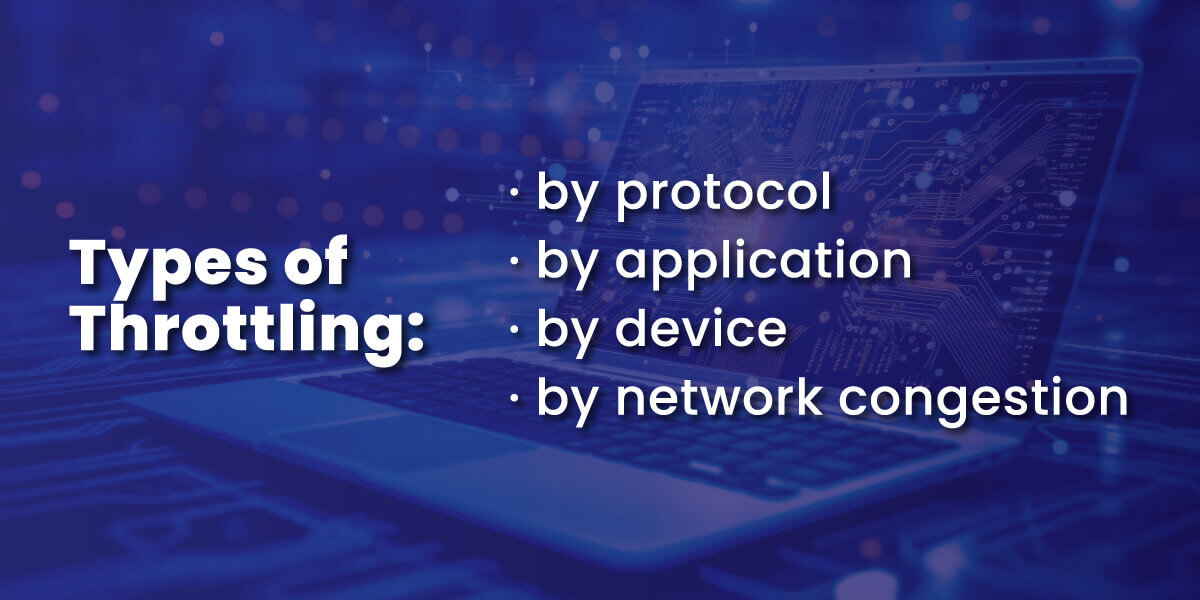
Throttling comes in several different types.
- Protocol-specific throttling targets protocols like peer-to-peer sharing or VPN connections.
- Application-specific throttling looks for traffic to or from specific apps like Netflix or YouTube and slows them down.
- Device-specific throttling detects the type of device being used – like a phone or game console – and throttles it.
- Network throttling slows speeds based on overall network congestion and demand.
Some real-world examples include Comcast getting caught interfering with peer-to-peer traffic in the early 2000s and Canadian ISP Rogers admitting to throttling internet speeds for online gamers. These cases demonstrate how ISPs can identify bandwidth-heavy activities and deliberately slow them down.
How Does ISP Throttling Work?
On a technical level, ISPs can see what protocols your internet connection is using and where internet traffic is headed. Providers use deep packet inspection (DPI) hardware and software to peek inside data traveling across their networks. This surveillance lets them discriminate based on the source, destination, and type of traffic.
ISPs use bandwidth throttling or traffic-shaping techniques to actively control the speed of data transfers. An internet provider can slow down all your data by limiting port speed, introducing latency, and deprioritizing packets for certain applications or devices.
ISPs argue that throttling helps manage network congestion during high-traffic periods to ensure critical activities aren’t disrupted. However, consumer advocates claim that internet throttling is also used to reduce ISP costs and give preferential treatment to an ISPs’ own content or partners.
Why Do ISPs Throttle Speeds?
The main reasons internet providers give for throttling include:
- Easing network congestion and managing bandwidth demands, especially during peak usage times when many users are online.
- Reducing the costs of infrastructure upgrades needed to support increased capacity.
- Responding to pressure from entertainment and content providers to limit piracy and illegal downloads.
- Promoting certain partner services over rival ones by giving them “fast lane" access.
ISPs claim that throttling optimizes overall performance. But many opponents of throttling are concerned that providers may slow down competitors’ offerings for an unfair advantage.
How to Detect ISP Throttling
Here are 5 telltale signs that your ISP may be throttling your connection speed.
1. Slow loading times: pages and videos take much longer to start.
2. Frequent buffering: streaming content pauses to load.
3. Sluggish downloads: files take way longer to download than usual.
4. Connection inconsistencies: speeds are slower during peak times.
5. VPN improvements: speeds increase when using a VPN.
You can confirm throttling by running internet speed tests during different activities. Compare your promised versus actual speeds, watch for dramatic dips when using certain apps, and try connecting via a
to see if speeds boost.
Significant changes in speed at night during peak hours or when using certain apps can indicate ISP throttling.
Is Throttling Internet Legal?
How and when ISPs can throttle internet speeds has been hotly debated for years. At the heart of the issue is the concept of net neutrality – the idea that all internet traffic should be treated equally by ISPs.
Throttling by ISPs arguably violates net neutrality principles when it deliberately discriminates based on content or application. Under the Trump administration, net neutrality was overturned, but the Biden administration attempted to restore net neutrality principles in 2021. The fiercely debated subject of net neutrality continues to hang in limbo as partisans support or oppose laws on throttling.
Many lobbyists argue stricter regulations are needed to promote fairness and transparency around ISP throttling. However, lawmakers remain divided on balancing the interests of ISPs versus consumers and internet-based companies.
Impacts of Data Throttling
Common effects of throttling include:
- Slower page loads and buffering for internet users. This affects activities like streaming movies, browsing social media, and web conferences.
- Lower quality video calls with choppy audio and pixelated video may indicate video streaming throttling.
- Lag, latency, and connection issues for online gamers. This creates a competitive disadvantage for players and may be caused by specific online gaming throttling.
- Impacts to work outcomes that rely on cloud-based services, video conferencing, remote access, and software as a service (SaaS) tools. Network delays cost time and money.
- Barriers to entry and anti-competitive behavior when ISPs use throttling to promote affiliated services over independent options. Stifling competition and innovation in apps, content delivery, and more.
Ultimately, throttling allows ISPs to exert control over internet speeds in ways that negatively impact consumers and businesses. But you can always decide to switch internet providers if you detect throttling.

How to Stop Data Throttling
Some ways to combat ISP throttling include:
- Using a VPN to encrypt internet traffic, mask origins, and bypass throttling of specific sites or applications.
- Enabling Quality of Service (QoS) on routers to prioritize gaming, streaming, and video conferencing traffic.
- Contacting your ISP and filing a throttling complaint if you confirm throttling. Threaten to switch providers if it persists.
- Finding a new ISP that advertises no throttling and is committed to net neutrality principles.
- Supporting legislation to strengthen net neutrality rules that prohibit application-specific throttling by ISPs.
- Using an internet speed test to collect speed data as evidence of any throttling occurring.
When you take steps to detect throttling and hold ISPs accountable, you help ensure that all customers get the internet speeds they pay for.

Frequently Asked Questions
What is the difference between throttling and data caps?
Data caps limit how much total data you can use each month before facing overage fees. Throttling slows speeds for certain types of internet traffic in real-time.
Can using a VPN prevent internet throttling?
Yes, a VPN can mask your traffic to avoid any application or device-specific throttling by your ISP.
How can I tell if my ISP is throttling Netflix?
Check for slow buffering only on Netflix but normal speeds otherwise. If using a VPN solves the problem, then you know your ISP may be throttling Netflix.
Can ISP throttling affect online gaming speeds?
Yes, ISPs have been known to target gaming systems and throttle multiplayer game traffic, resulting in high latency.
What should I do if my ISP is throttling internet speeds?
Run speed tests to confirm throttling, file an FCC complaint, contact your ISP, and switch providers if possible. Users who complain help motivate change.
What can I do to stop ISP throttling?
Understanding ISP throttling is key to getting the internet performance you need in today’s connected world. Identifying throttling and pressuring ISPs to be transparent can help curb unjust speed discrimination.
Supporting meaningful net neutrality protections remains important to promoting fairness and innovation online. You can vote to defend your right to access lawful content of your choice without interference or limitations.
What else could be slowing down my internet besides ISP throttling?
See our guide to getting fast internet for more ideas. Sometimes, your slow speed may be related to an outdated router.