Call
Call 


 Access Your Account
 How to Get the Fastest Internet Connection in Your Area

Table of Contents
The digital world keeps spinning faster and faster. Data is now flying around the internet at a dizzying pace. Can your current internet connection keep up with today’s internet needs?
A fast connection can make a big difference in the quality of your online work experience or your entertainment time. But available speeds for home internet will vary depending on where you live. This guide will give you valuable tips for how to get the fastest internet connection in your area.
Read on to find out how to assess your current connection, find the best internet service providers, optimize your home network, and troubleshoot any internet connectivity issues.
Assess Your Current Connection
Run a speed test
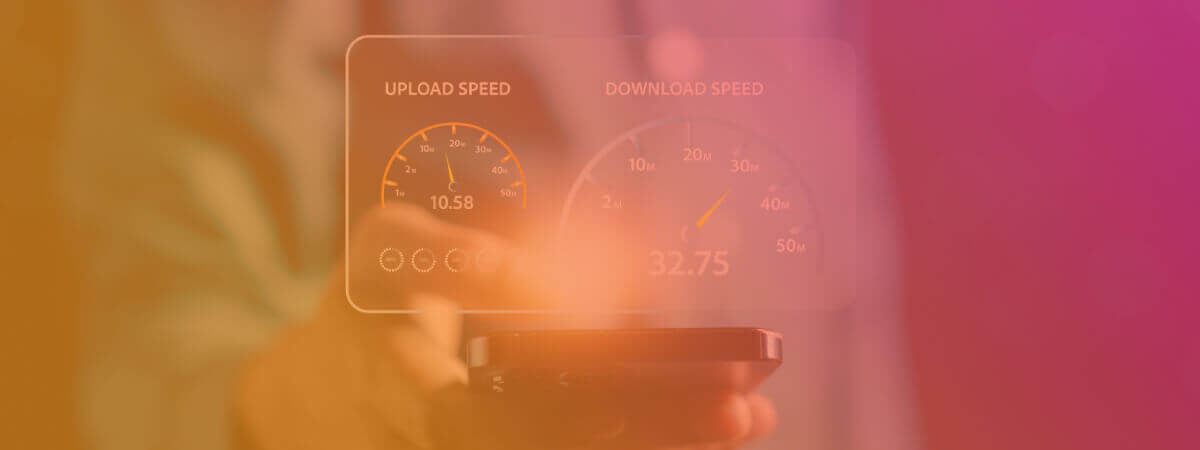
You’ll only know your real internet speed if you run a speed test online with your current connection. Your internet provider’s advertised speed may sound great, but what you see on your internet plan is not always what you get. Your actual speed (called throughput) depends on other factors too, including your home equipment, Wi-Fi signal strength, and network congestion. Running a speed test will give you the accurate picture of your upload speeds, download speeds, and latency (called “ping” on some speed tests).
Figure out your ideal internet speed
What you like to do online is going to determine the range for your necessary internet speed. Checking your email, basic web browsing, and light social media use are all not very data intensive. If that’s all you usually do, you won’t need more than 25 Mbps download speed/3 Mbps upload speed. That is also the FCC’s definition of high-speed internet.
Data-intensive internet activities
Activities that involve graphics or video are always data-intensive. So, if you stream a lot of HD video or upload large files, you’re going to want enough speed to handle it. 100 Mbps download speed and 10 Mbps upload speed are usually enough to give you a smooth experience.
Multiple devices need more internet speed
Multiple devices using the internet in your home will require more bandwidth. So, if your household includes five adults or teens who all want to stream in Ultra HD or play games at once, consider an internet plan with at least 200 Mbps download/20 Mbps upload.
How latency affects your internet speed
Latency will also affect the throughput of your internet connection. Latency is a slight lag in a data signal, and latency varies depending on your type of internet. For video conferencing, you want latency of less than 100 milliseconds. For real-time gaming, your latency should be no more than 40 milliseconds. Most high-speed cable and fiber internet providers can meet these latency requirements.
Symmetrical upload and download speeds
Only one technology currently offers symmetrical upload and download speeds, and that is fiber-optic internet. Fiber internet that advertises “200 Mbps” will give you 200 Mbps download AND 200 Mbps upload. This equality in speeds is fiber’s enormous advantage over previous types of internet. If you like gaming, uploading videos, or videoconferencing, fiber internet’s fast upload speeds and low latency would be ideal for you.

FAQs: Internet Speed
What is a good internet speed for streaming Netflix or Amazon Prime?
Streaming in standard definition on one device should only require about 25 Mbps download speed. Streaming in Ultra HD or 4k on 4 devices at once will require about 150 Mbps download speed. All channels such as Netflix, Amazon Prime Video, or YouTubeTV will require about the same speeds based on whether you’re streaming in SD or HD.
Is it worth paying for the fastest internet connection if I only use the internet for browsing?
A speed of 10 Mbps will usually handle most simple web browsing, especially if there are only one or two people in your home. Consider your future needs when you choose your internet speed, though. Make sure your provider has faster speeds available in case your speed requirements change.
Find the Best Internet Service Providers (ISPs) in Your Area
Search for ISPs using online tools
To find ISPs in your area, go to our provider map. Just enter your zip code or click on your state and city. You’ll see all the top internet providers with their plans and prices in detail.
Compare ISP plans based on speed, cost, and other factors
When you’re choosing an internet provider, you’ll want to look at available speeds, plan prices, equipment costs, data caps, and contract length (if any). Be aware of “soft data caps,” which usually mean your internet will slow down drastically once you reach your maximum data allowance. Check to see if there are overage charges for exceeding your limit.
If you will be on a contract, know what your early termination fee will be if you cancel. Many IPS now offer the use of their equipment for free, but check to see if there is an equipment rental fee on top of the monthly plan fee.
Remember to check with your neighbors or on online neighborhood sites such as Nextdoor. Getting in-person opinions can be immensely helpful to inform you on issues such as frequency of outages or an ISP’s customer service response.

FAQs: Finding the Best ISPs in Your Area
What is the difference between DSL, cable, and fiber internet?
DSL uses telephone lines and offers slow to moderate speeds (6-45 Mbps). Cable uses coaxial cables with faster speeds than DSL (25-1200 Mbps). Fiber sends light signals through glass fibers, achieving the fastest speeds available today at up to 5000 Mbps or more.
How can I find out if an ISP has a history of outages or poor customer service?
Check with your neighbors or online neighborhood websites such as Nextdoor. Getting in-person opinions can give you a good feel for issues such as frequency of outages or an ISP’s customer service response.
Optimize Your Home Network
Tips for speeding up your home network
Sometimes, your speed may be slower than optimal because your Wi-Fi network just needs a little readjusting. You can login to your router to change the channel in case other devices are causing interference.
Router position can also be crucial. Move your router up off the floor and into a high, central location in your home. You may be surprised by how much stronger your signal gets.
Use a range extender to boost your Wi-Fi signal if you still find weak spots in certain parts of your home.
FAQs: Home Network Speed
Why does my internet slow down when multiple devices are connected?
Your internet may slow down when multiple devices are connected because they all share the same bandwidth. Congestion on your home network is just like congestion on a highway: crowding slows the speed.
How can I improve my home network for gaming?
Here are three common tips for quick improvement. 1) Consider using a wired Ethernet connection instead of Wi-Fi. 2) Reposition your router to a central location. 3) Adjust the QoS settings on your router for a smoother game.
Troubleshoot Internet Connection Issues
Slow internet speeds can come from a number of causes that aren’t hard to diagnose and fix.
If your internet goes out suddenly and completely, the first thing you should do is call your ISP to see if there is an area-wide outage. If so, you’ll just need to be patient. But you don’t want to waste a lot of time troubleshooting if it’s a problem on your ISP’s end!
One of the most common problems is interference with your home Wi-Fi network from home devices such as microwave ovens or other electronics. If your modem and router are outdated, that can also cause your connection to slow down. Malware and viruses can also cause real sluggishness if they get into your systems.
Here are quick troubleshooting tips to get you back to full speed:
- Power cycle (restart) your modem and router, Leave them off for 1-2 minutes to allow them to reset.
- Make sure your software and device drivers are up to date.
- Move your router to a high, central place in your home.
- Run a virus scan on your devices.
If you still need help, contact your ISP. Your helpful tech support agent can often diagnose your problem over the phone. Your ISP may also replace your modem/router with another loaner or rental.
FAQs: Slow Internet Troubleshooting
How can I tell if I need to replace my router?
Many of the signs of an outdated router can also come from other causes. So, the easiest thing to ask yourself is, “How old is my router?” If the router is more than a few years old, you may need to upgrade. If it has only been around a year or two, chances are your slow internet has another cause, such as the issues listed above. Troubleshoot those other causes first before you spring for a new router.
How do I know if my devices are infected with malware?
If your computer is crashing or running very slowly, malware may be the cause. Are you seeing strange pop-up ads or error messages? You also may see a lot of network activity on your computer that you can’ explain. New icons on your desktop or new programs in the start menu are also a sign that you may have a virus or malware.
Happy Hunting for Fast Internet!
Fast, reliable internet can make a big difference in your productivity and general relaxation level. These days, a glitch-free connection can even be necessary to land or keep a remote job. You can earn a degree or career certificate as long as you have a fast internet connection.
When you need to see a doctor, reliable internet can get you help without ever having to leave the comfort and safety of home. And if you’re a video-making ninja, fast internet is essential to get your creations online.
If you’re having any trouble with the speed of your internet connection, we hope this guide has introduced you to some quick fixes.
And if you’re searching for a new provider with the fastest internet connection in your area, you’re now equipped with all the know-how to go get it.
Here’s to many happy hours of smooth, fast streaming, videoconferencing, and gaming with friends!